Imagine you are logging into a regular Tuesday morning financial meeting. Your Chief Financial Officer, or CFO, appears on your screen. Their voice sounds perfectly normal to you. Their face is clearly visible, just as you remember it. Suddenly, they urgently ask for an immediate money transfer. They say it's to quickly buy a crucial new supplier. You might process the payment without a second thought. But hours later, you discover a shocking truth. Your real CFO was actually asleep on a flight across the ocean. You were not speaking to a person at all. You were talking to a clever computer program.
This is the scary reality of real-time AI impersonation, often called a 'Zoom deepfake.' It's when someone uses AI to pretend to be another person live on a video call. As we deal with today's online dangers, this advanced type of cyberattack has become a real problem for businesses. It's no longer just a theoretical risk. Scammers are not just sending bad fake emails anymore. Instead, they are putting on the digital faces and voices of your trusted coworkers. They are doing this in real-time on your screen. They use AI-made fake videos and sounds with surprising accuracy. This makes it incredibly hard for you to tell what is real.
What is a Live Video Deepfake Scam?
A live video deepfake scam is a real-time cyberattack. Scammers use creative AI to put someone else's face shape and unique voice sound over their own. They do this during a live video call. Their goal is to trick you and bypass company security rules.
This way of attacking people is a huge change in how scammers trick people and spy on companies. Regular AI fakes are usually pre-recorded. They are carefully made over many hours or even days. But these new attacks happen live. They change and adapt to your conversation as it happens. The way these scammers prepare is very scary and organized. They search the internet for clear audio and video of their target. For example, company leaders often appear in recorded online talks, public videos, and interviews. This makes them very vulnerable. These public appearances give the scammers the perfect practice material for their AI programs.
Once the AI program has learned enough, the scammer sets the trap. They usually hack into an internal email account. Or they find a weakness in your company's calendar system. This lets them invite you to a meeting that looks real. To send you the AI-made fake video and audio, scammers use a fake camera program. This is often called virtual camera injection, using tools like OBS (Open Broadcaster Software). They send their fake video through these programs. This tricks your video call platform into thinking the AI fake video is coming from a real webcam. In more serious, ongoing attacks, scammers might even mess with your video call's data. They can hijack the real-time communication signals at a deep network level. This happens before the fake video even reaches your screen.
How These AI Fakes Actually Work
Understanding how these live AI fakes work behind the scenes is key. It helps you understand the danger better. At the heart of this technology are special AI systems that create fakes. These include systems like generative adversarial networks, or GANs, and another type of creative AI called latent diffusion models. These powerful AI systems work together. They figure out the 3D shape of a human face. Then, they smoothly put new images and textures over that face in real-time.
Think about how much computer power we have now. The way computer programs work has also become much better. This means a regular computer graphics chip can now create perfectly real-looking face swaps in real-time. It does this with almost no delay, less than 50 milliseconds. This is so fast that you, as a human, can't even notice the delay. It effectively tricks what people can notice.
In the past, live AI fakes had a lot of delay. This made them very obvious during live conversations. But today, faster local processing and special computer chips for AI have almost removed this delay. The software tracks key points on the face. These include the corners of your eyes, the bridge of your nose, and the curve of your lips. It then adjusts the fake overlay 60 times every second.
At the same time, AI tools that copy voices instantly process the scammer's speech. These systems do more than just change the pitch of a voice. They analyze the sound patterns of speech. They then rebuild the audio using the unique sound, rhythm, and way of speaking of the person they are impersonating. Another AI system handles the timing. It makes sure the fake audio matches the fake lip movements. This creates a complete and very misleading video and sound feed. It makes it incredibly difficult for your brain to process that it's not real.
The Huge Cost: A Company's Worst Nightmare
The main reason for these real-time AI impersonation scams is almost always money. Old-fashioned email scams, or Business Email Compromise (BEC) attacks, have largely been stopped. This is thanks to strict checking rules, security systems that trust no one by default, and extra security steps like two-step verification. But AI impersonation attacks use the biggest weakness of all: your trust in other people.
When a top leader clearly orders a money transfer over a live video call, employees below them naturally want to follow directions. The visual and sound confirmation makes you less suspicious. This is different from a sudden email request. This year, several big companies have lost huge amounts of money. We're talking tens of millions of dollars in single, unauthorized wire transfers. These losses happened because of these advanced video call executive scams.
Now, legal teams, compliance officers, and HR experts are rushing to deal with the consequences. Imagine an employee approves a fake transfer. They truly believed they were following direct orders from their boss. Deciding who is responsible then becomes a very complicated legal problem. Beyond that, there is a deep mental impact on employees. They have been tricked by these super-realistic digital fakes. This can cause trust to break down within the company's structure. It makes people question who they can believe, even their own eyes and ears.
How to Spot the Fakes: Visual Glitches and Digital Errors
Even with amazing progress in AI technology, live AI fakes are not perfect. Creating real-time video takes a huge amount of computer power. This often leads to tiny visual glitches. These are small digital errors. Training your security team and all your staff to spot these tiny errors is your first defense. It helps protect you against AI impersonation scams.
Weird Blinking and Eye Movements
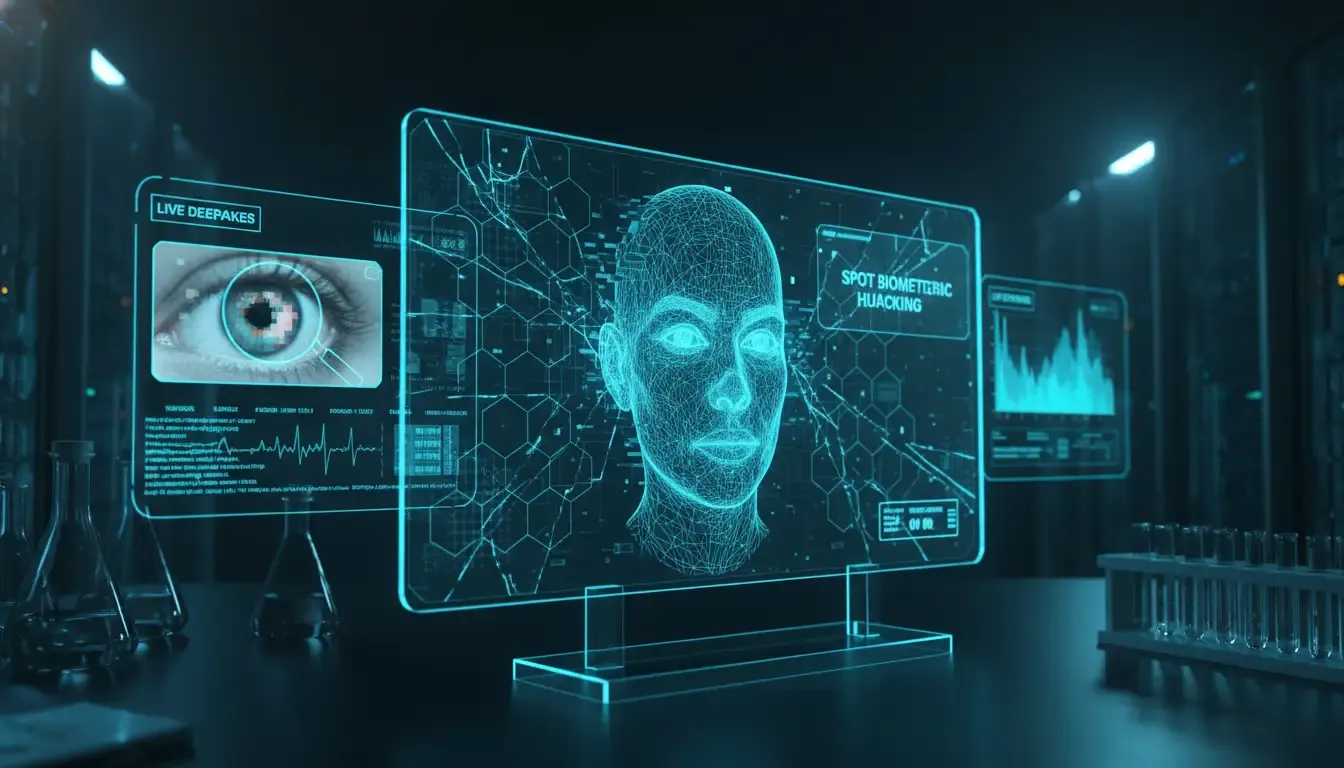
One common weakness in real-time face swapping involves how the eyes are made. The AI is often trained using videos of people looking straight at a camera. So, the AI struggles to perfectly copy complex eye movements. It can't always do quick eye movements or extreme angles. Watch for blinking patterns that seem unnatural to you. The AI fake might blink too often, or not enough. Or, the eyelids might look blurry or seem to melt into the eyeball when it blinks. It can be a hazy, watercolor-like effect around the edges of the eyes.
Also, pay close attention to the sparkle of light in the person's eyes. This is called the catchlight. In a real video, this sparkle should match the lighting in the room. But in an AI fake, the catchlight might look painted on. It could stay still, or be missing entirely. This can make the eyes look dead or unnatural to you. They might seem empty, like a doll's eyes.
Blurry Edges and Strange Lighting
The place where the fake face meets the real head is a known problem area for AI programs. Look closely at the jawline, the hairline, and the edges of the cheeks. You might see a slight blur. There could be a difference in skin tone. Or you might notice a flickering effect. This happens as the software struggles to blend the digital mask with the real background. It's like a bad cut-and-paste job.
Lighting problems also give you important clues. If the person turns their head, the shadows on their face should move naturally. But in a live AI fake, the artificial face might keep the same lighting. This could go against the actual light in the room. For example, imagine a window is on the person's left. But the right side of their face is brightly lit. If this happens, you are likely looking at a fake digital image. The lighting won't make sense to your eyes.
The 'Hand-Over-Face' Test
Perhaps the best visual test for a live AI fake is to introduce something physical. Ask the person to put something in front of their face. AI programs are trained to map faces. But they get very confused when an object passes in front of that face. If you suspect you are talking to an AI fake, politely ask the person to pass their hand in front of their face. Or ask them to take a sip from a coffee mug.
When a hand crosses the key points on the face, the AI fake software will often have serious shape distortion. You might see pixels breaking apart. The fake face might briefly disappear, showing the scammer underneath. Or the 3D positioning will fail. This causes the digital mask to tear and show jagged, pixelated edges. In many cases, the hand itself might look strange. It could melt grotesquely into the digital cheek or nose. This simple, low-tech way to check remains one of the most reliable methods. It can break the illusion and reveal the truth to you.
What Your Ears Can Tell You: Strange Sounds and Voice Clues
While visual glitches are convincing, strange sounds often give you the first warning signs. They can tell you if a face or voice scanner is being tricked. Copying a voice in real-time needs huge computer power. The process of changing the scammer's voice to the target's voice can create small, but noticeable, sound errors.
Weird Sound Clashes and Robot-Like Voices
Even the best voice copies can sometimes sound like a robot. Or they might have a metallic echo. This happens especially when the AI tries to say difficult or unusual words. Sound experts often look for weird sound clashes. When the AI tries to layer the fake sounds over the real audio in real-time, the clashing sounds can create a clear 'metallic twang.' Or you might hear a harsh 'robotic clipping' sound. It's like a robot trying to imitate a human, with a strange metallic echo.
Listen closely to the ends of words. Pay special attention to hard 'k' or 't' sounds, and 's' or 'sh' sounds. You might hear a slight digital clipping. Or you could hear a buzzing sound. This is similar to a heavily compressed, low-quality MP3 file. These tiny sound errors happen when the AI system struggles. It tries to create a specific sound combination fast enough to match the video.
Unnatural Speech Rhythm and Breathing
Human speech has natural pauses, hesitations, and breathing patterns. AI programs that copy voices often struggle to make these natural parts of speech. This is especially true when they are working under the pressure of real-time processing. Listen for speech that sounds too rhythmic. Or listen if it lacks the natural flow of the person you know.
Also, pay attention to the sound of breathing. AI programs often filter out background noise. This can accidentally remove the sound of someone taking a breath. If the person on your call is speaking long, complex sentences without taking a single audible breath, that's a big red flag. Your ears will tell you something is off.
Background Noise That Doesn't Make Sense
Audio clues from the background are just as important as the voice itself. What if the executive says they are calling from a busy airport lounge? But the background sound is completely silent. Be suspicious. On the other hand, what if the background noise repeats unnaturally? Or it sounds totally disconnected from what you see on the screen? Then the audio feed has likely been faked. Scammers often use strong background noise filters. They do this to make sure their own background sounds don't get into the copied audio. This can result in an unnaturally quiet sound. It feels eerily sterile, like a sound studio, not a real-world location.
What to Watch For: How They Act and What They Ask
Beyond the technology, how the person acts on the call is often the clearest sign of an AI impersonation scam. Scammers use urgency and fear. They want to force you into making fast, bad decisions. They will invent a crisis. This could be a lawsuit about to happen, a failed company takeover, or a sudden government fine. These situations, they claim, need immediate money action.
Remember this: A real executive will almost never skip established financial rules. This is true no matter how urgent the situation seems. If someone insists on secrecy, speed, and skipping extra security steps, that's a clear sign of a tricking people scam.
If the person on your screen demands that you skip standard two-step verification, ignore other approval steps, or keep the money transfer a secret from your team, you must stop immediately. Your gut instinct will tell you something is wrong. Their refusal to follow normal checks is a huge behavioral red flag. This warning sign is even more important than any visual or sound evidence you might notice. Trust your instincts when someone asks you to break the rules.
How Your Company Can Fight Back
Protecting your organization from real-time AI impersonation scams needs a multi-layered security strategy. You can't just rely on your employees to spot a glitching AI fake. That's a recipe for disaster. You must put strong, company-wide defenses in place. These defenses need to account for how easily humans can be fooled. To truly fight this threat, your teams need to focus on three main areas: staying alert, checking everything, and using advanced tech defenses.
Checking if Someone is Real: Active vs. Passive Methods
Your company's IT department must actively improve its security systems. They need to detect AI-made fake videos and sounds. This means using both interactive human checks and background human checks. A background human check works quietly behind the scenes. It uses software to look at the video stream for tiny digital errors. It also checks for unusual file size differences. Or it looks for problems in matching sound and video timing. It does all this without you needing to do anything.
An interactive human check, however, asks you to do a specific, random action. This proves you are a real person. For example, it might ask the executive to turn their head to a certain angle. Or to read a random phrase shown on the screen. Or to use dynamic lighting, like shining a phone flashlight on their face. This is done to intentionally break the AI fake's 3D positioning. Combining both interactive and background checks creates a strong barrier. It helps stop fake camera tricks.
Using 'Safe Words' and Emergency Procedures
One of the best defenses against live AI fakes costs nothing. This is to use company 'safe words.' Your leadership teams and finance departments should set up a changing list of secret code words. If an executive asks you to do something sensitive over a video call, you must ask for the current safe word.
The scammer won't know about your private, internal rules. So, they won't be able to give the correct answer. Also, set up emergency procedures. If a real executive is truly in a dangerous situation, they should have a subtle way to tell you. They need to communicate that the request is not real. This makes sure employees know when to lock down financial systems.
Training and Staying Aware
Finally, ongoing security awareness training is extremely important. Your employees must learn to approach live video calls with healthy skepticism. They should be just as cautious as they are with unexpected email attachments. Regularly run practice deepfake scams. This will test your team's readiness. It will also help them get familiar with the visual and sound red flags. These include pixels breaking apart and weird sound clashes.
Create a culture where no one is trusted by default. Employees should feel strong enough to question authority when security rules are at risk. If an employee hangs up on the CEO to double-check a money transfer using another method, they should be praised for being careful. They should not be scolded for being disrespectful. This builds a strong defense for your company.
Common Questions About AI Fakes
Can a live AI fake trick security systems like Apple's Face ID?
No, regular live AI fakes cannot trick advanced security systems like Apple's Face ID. These systems use 3D scanning with invisible light. They also use interactive human checks. This helps them confirm the 3D shape of a face. A deepfake sent through a fake camera only gives a flat, 2D video. This fails the 3D check.
What should I do if I think I'm on a call with an AI fake?
Immediately hang up the call. You can say there are technical problems. Then, check the person's identity using a different, trusted way. Do not try to confront the scammer. Contact the executive using a phone number you know is real. Or use an internal, secure messaging system. This will confirm if they really made the request.
Are small businesses in danger, or just big companies?
Small and medium-sized businesses are often targeted. This is because their security has usually been weaker. Scammers know that smaller businesses often don't have strict money checking rules. They also lack the advanced background human checks that big companies have. This makes them easy targets for fast, unauthorized money transfers.
How fast is the technology getting better at finding AI fakes?
The technology for finding AI fakes is improving very quickly. It uses computer programs that learn. This helps it find hijacked video call data and tiny errors that humans can't see. It's a constant race between the fakes and the tools that find them. To learn more about how this detection technology works, read our guide on how it works.
Protecting Your Reality with Truth Lenses
The time when we could just trust our eyes and ears online is over. Live video deepfake scams are becoming more advanced. They are using tricks like hijacking video call data and fake camera tricks. So, it's up to companies to give their teams the knowledge and tools they need. This helps them tell what's real from what's an AI-made fake.
At Truth Lenses, we work hard to stay ahead of AI-made fake threats. Our platform offers top-level detection tools for businesses. These tools are designed to look at and uncover real-time manipulation. They use both interactive human checks and background human checks. Whether you are protecting company money or checking if digital messages are real, we give you the clarity you need. Explore all our detection solutions by visiting our home page. Or learn more about the latest dangers on our blog. Don't let a digital ghost trick your organization. Verify the truth today.
What You Can Do Right Now
Here are simple steps you can take today to protect yourself and your company:
- Ask a secret question: If a request for money or sensitive information comes over a video call, use a pre-arranged 'safe word' or secret question. This question should only be known by you and the real person.
- Verify independently: If you suspect anything, hang up and call the person back on a known, trusted phone number. Never use the number provided in the suspicious call or email.
- Look and listen carefully: Pay attention to strange blinking, unnatural shadows, weird voice echoes, or a lack of natural breathing. Your senses are your first line of defense.
- Question urgency and secrecy: Be very suspicious if someone demands immediate action, asks you to skip security steps, or tells you to keep the request a secret. These are major red flags.
- Practice with your team: Encourage your company to conduct training sessions. These should include practice scenarios to help everyone recognize AI fakes and know what to do.