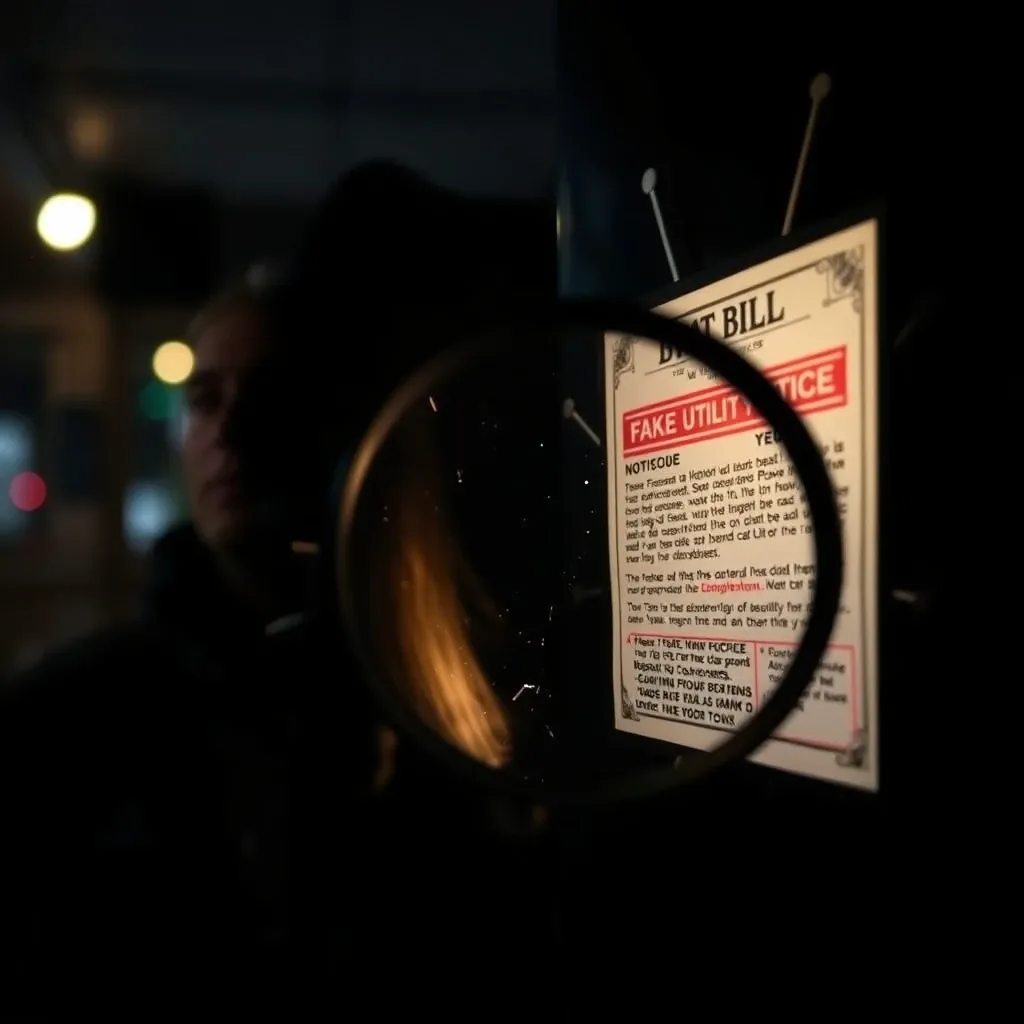
You open your email on a busy afternoon and see a red notice. Your local power company claims your account is overdue. The letter warns that a crew is on the way to cut your electricity in sixty minutes.
Your heart jumps into your throat. You picture your lights going dark, your refrigerator warming up, or your shop doors locking down. A handy button at the bottom invites you to pay right away to stop the shut-off.
Stop right there. Take a deep breath. You are likely staring at a new, high-tech trap.
Utility scams caused more than forty thousand official complaints in 2025, according to the Federal Trade Commission. For years, scammers sent messy letters filled with typos and blurry logos. Today, artificial intelligence has completely changed their playbook.
Criminals now use computer tools to generate crisp, personalized power bills. These fake notices land in inboxes and mailboxes across the country. They target busy parents, tired homeowners, and stressed small business owners.
They look real. They sound official. They threaten to cut your power within the hour if you do not pay cash immediately.
Here is how this scam works, how to spot the hidden flaws in computer-made bills, and what you can do to keep your money safe.
How AI Shut-Off Scams Work Behind the Scenes
For a long time, utility fraud relied on pushy phone calls. A rude caller would yell at you and demand store gift cards. Many people learned to hang up the phone.
Scammers needed a fresh trick that looked legitimate. They found their answer in generative artificial intelligence and automated document software.
First, a thief grabs an authentic bill from a major utility provider. They might use notices from Consumers Energy, Pacific Gas and Electric, Duke Energy, or Con Edison. They feed that sample into an image-reading program.
Within seconds, the software maps out the whole page. It records the exact fonts, margins, company colors, barcode formats, and legal disclaimers.
Next, the software connects to stolen databases or public county property records. It automatically pulls your full name, your street address, and your neighborhood.
Finally, the tool generates hundreds of custom PDF notices at the touch of a button. The computer fills in your exact details, a made-up meter number, and a fake overdue balance. When you open the file, it looks just like your usual monthly statement.
The Trap of False Urgency
Scammers do not just copy the design. They also use language generators to write cold, legal-sounding threats.
You will not see the broken grammar of older internet tricks. Instead, you will see phrases like "Final Notice of Service Disconnection" or "Field Tech Dispatch Scheduled."
The bill usually claims you owe between three hundred and nine hundred dollars. It insists that you must settle the bill within sixty to ninety minutes. Scammers pick that short window on purpose. When you feel panicked, your brain skips healthy questions and looks for the quickest way out.
The Friday Rush at a Michigan Bakery
To see how dangerous this trick is in daily life, consider what happened to an independent bakery in Grand Rapids, Michigan.
It was 2:30 PM on a Friday. The kitchen smelled of vanilla extract and warm butter. The glowing red indicator light of the heavy commercial ovens signaled that forty custom wedding cakes were baking inside.
The bakery owner sat down at her counter to check supplier invoices. An urgent email popped into her inbox. The sender name read "Consumers Energy Billing Services."
The email carried an attached PDF with bold red headers: "FINAL NOTICE: POWER TERMINATION IN PROGRESS." The letter claimed the bakery had missed two monthly payments totaling $842.50 because of a bank routing error.
The letter stated that a service crew would disconnect the building power at 4:00 PM if the balance remained unpaid.
The owner felt an instant wave of panic. A sudden power cut would ruin thousands of dollars in delicate wedding orders. It would spoil her dairy supplies in the walk-in cooler. It would also break trust with forty weekend brides.
The PDF carried the official blue and yellow shield of Consumers Energy. It listed her exact street address, a realistic customer number, and a scannable payment square labeled "Emergency Reinstatement Portal."
She picked up her phone and scanned the square. A sleek payment portal loaded. It gave two choices: pay through Zelle or buy a digital cash voucher.
Panic nearly won. She pulled out her business debit card and prepared to send the money.
Then she paused. Something felt off. Her utility had never asked for a peer-to-peer app payment before.
She opened her desk drawer and pulled out an old paper bill from the month before. She ran her fingers across it. The tactile feel of the paper bill reminded her that her real account had automatic payments turned on.
She ignored the phone number printed on the scary email. Instead, she dialed the customer support number printed on her old paper bill.
A real utility agent answered the line. The agent checked her file and confirmed her account had a zero balance. Her power was completely safe. The scary email was a total fake.
That quick phone call saved the bakery over eight hundred dollars. Many small business owners are not as lucky. Federal Trade Commission data shows that small business victims lose an average of more than one thousand dollars per utility scam.
Why Computer-Made Bills Fool Everyday People
Criminals do not need advanced graphic design degrees anymore. Modern software does the hard work for them. Here are three methods scammers use to make fake bills look convincing:
1. Rebuilding Logos as Crisp Vectors
Old scams used fuzzy, low-quality logos copied from website headers. If you zoomed in, the edges looked jagged and blurry.
Today, scammers feed genuine logos into computer conversion tools. The software traces every line and saves the graphic as clean math coordinates. These are known as vector images.
When you open the fake bill on a high-resolution phone screen or computer monitor, the logo stays razor-sharp. Your eyes assume that a clean logo means a genuine company.
2. Scraping Public Property Records
Scammers use automated web bots to read public real estate filings and tax rolls. The software matches your family name with your exact parcel number and address.
When the AI tool compiles your fake bill, it adds your town, your county, and local utility service zones. Seeing your own neighborhood on a formal document makes your brain drop its guard.
3. Using Scannable Payment Squares
Past scams relied on weird website links that looked fishy. Modern fake bills feature scannable digital squares called QR codes.
Scammers know people rarely inspect the destination address when scanning a code with a camera phone. The code takes you directly to a spoofed webpage that looks identical to your standard power company login screen.
If you type your login details, the scammers steal your password. If you submit a payment, your money flows into an anonymous account that cannot be traced.
How State Laws Protect You from Instant Shut-Offs
Scammers rely on one big lie: that a utility company can turn off your power without warning in one hour. Under real laws, that is impossible.
State utility regulators enforce strict rules that all power companies must follow before disconnecting any home or business. Consider these standard protections:
Advance Written Warnings
State public utility commissions require multiple written warnings before any service shut-off. In states like Michigan, New York, and California, providers must send written notices through the physical postal mail. They must send these notices at least ten to fourteen days before any shut-off date.
Extreme Weather Rules
Most states enforce severe weather rules. If the forecast predicts freezing winter temperatures or dangerous summer heat waves, utility companies are legally banned from disconnecting residential power.
Scammers love to strike during heat waves or blizzards because they know you are scared of losing heat or air conditioning. Remember that real power providers are blocked by law from cutting you off during extreme weather events.
Regulated Payment Methods
Regulated utility companies accept standard, traceable payment methods. These include checks, electronic bank transfers, and major credit cards. They will never tell you to buy store gift cards, transfer cryptocurrency, or send funds through Zelle or Venmo.
Real Utility Notices Versus AI Fakes
Use this simple comparison table whenever you receive an unexpected power notice:
| Notice Feature | Real Utility Notice | AI-Generated Fake Notice |
|---|---|---|
| Shut-Off Deadline | Several weeks of advance postal warnings | Immediate shut-off within one or two hours |
| Payment Options | Bank transfer, personal check, major card | Zelle, Venmo, prepaid cards, or crypto |
| Contact Phone Number | Standard customer line on your monthly bill | Unfamiliar 1-800 number or direct chat link |
| Usage History | Displays full monthly power usage charts | Blank, missing, or static energy charts |
| Delivery Method | Postal mail and your secure web account | Sudden unexpected email with an attached PDF |
| Customer Name | Matches your full legal billing profile | Pulled from public web lists or reads Resident |
How to Inspect a Suspicious PDF in Two Minutes
You do not need a computer science degree to uncover a fake document. Scammers often leave digital clues inside the files they send you. You can check these three details right on your computer.
1. Check the Hidden File Data
Every PDF file carries hidden background information called metadata. This data reveals the date the file was made and the software used to build it.
Open the PDF on your laptop or desktop computer. Right-click on the document and choose Document Properties. You can also press Ctrl+D on a Windows PC or Command+D on a Mac.
Look for the line that says "Application" or "PDF Producer."
A real utility company uses massive enterprise billing engines such as SAP, Oracle, or Quadient. A fake bill made by a scammer will often list consumer software. You might see names like Canva, iLovePDF, wkhtmltopdf, Python, or Adobe Illustrator.
If your power shut-off notice was created twenty minutes ago using a free web editing tool, close it immediately. It is a scam.
2. Highlight the Text with Your Mouse
Real billing systems create digital documents with distinct text layers. You can click your mouse, drag across the words, and highlight your name, balance, or account number.
Many AI scammers turn their fake designs into flat images before saving them as PDFs. If you try to drag your cursor across the words and nothing highlights, the file is just a giant picture.
Legitimate power companies do not send bills that are simply screenshots saved inside a PDF file.
Next, zoom in close to the numbers. Set your zoom level to 300 percent. Look at the balance table. Real billing machines align decimal points and numbers with mathematical perfection. Scammer documents often feature slightly crooked lines, mismatched fonts, or uneven spacing between digits.
3. Inspect Links and Destination Addresses
Never click a payment link inside an email or message that you did not expect. Instead, move your mouse pointer over the link without clicking it.
Your computer will show the true web address in the corner of your screen. Look closely at the letters.
Scammers register addresses that look almost identical to real sites. For example, instead of the real website, they might use extra words like citypower-bill-payment-online.com or secure-utility-portal.net.
Any extra hyphens, strange words, or weird endings mean danger. Real power providers always process payments on their main, official website domain.
Free Online Tools to Test Suspicious Files
If you want extra help checking an email or document, you can use safe, free tools on the web:
VirusTotal
VirusTotal is a free security website maintained by Google. You can visit the site and upload a suspicious PDF without opening it on your personal machine.
The tool scans the file with dozens of commercial antivirus engines. It checks for harmful scripts, hidden download links, and links to known scam web pages.
URLScan.io
If a notice gives you a web link or QR code, do not open it on your phone browser. Instead, paste the address into URLScan.io.
This free service visits the web page safely inside a secure sandbox. It takes a screenshot of the page and shows you the true server location. If a site pretending to be your Michigan power company is hosted on a fresh server overseas, you know it is fraudulent.
ICANN Domain Lookup
Visit lookup.icann.org and paste in the website domain from the bill. The tool shows you when the website was first registered.
Genuine utility companies registered their web addresses decades ago. If a payment site was registered three days ago, you are looking at a brand-new scam.
Why Small Shops Face the Greatest Danger
Small business owners are the favorite target for utility scammers. The reason comes down to leverage and daily stress.
When power stops, a small shop stops making money. A restaurant cannot cook meals. A medical clinic cannot run diagnostic machines. A grocery market risks losing thousands of dollars in chilled inventory. Scammers count on that fear to force quick action.
Furthermore, the person who opens the morning email is often not the company bookkeeper. It might be a morning shift supervisor, a front desk clerk, or an assistant manager.
They see a notice threatening a black-out during the lunch rush. They want to protect the business. Facing an urgent demand for four hundred dollars, a well-meaning worker might pay out of petty cash or use a personal card.
To keep your company safe, set up a simple workplace rule: no utility bills are ever paid outside the standard accounting process. Make sure all workers know that power companies never shut off power without weeks of written notice.
What You Can Do Right Now
Protect your home and business today by taking these four simple steps:
- Save the Real Number in Your Phone: Find your last paper utility bill right now. Save your provider's verified customer service phone number in your mobile contact list. If you ever receive a frantic alert, you will have the real number ready to call.
- Turn on Two-Factor Login Security: Log in to your actual utility web account today. Turn on two-factor login security using your mobile phone or an authenticator app. This step prevents scammers from hijacking your account even if you ever slip up on a fake login page.
- Set a Strict Household and Shop Rule: Talk with your family members and coworkers tonight. Agree that no one will ever pay an urgent utility bill using gift cards, payment apps, or sudden wire transfers. Require every shut-off notice to be confirmed on the official customer portal first.
- Report Scams to the Federal Trade Commission: If you run across an AI bill scam, take two minutes to report it at ReportFraud.ftc.gov. Forward fake utility emails to reportphishing@apwg.org. Your report helps consumer agencies find scam servers and shut them down.
Protect Yourself With Visual Verification Tools
Scammers pair convincing stories with fabricated IDs, counterfeit bills, and stolen business photos to lower your guard. Truth Lenses checks visual media only (never audio calls or text messages), so whenever a message includes a suspicious photo, screenshot, or video clip, test it via our image checker or video checker and review our privacy safeguards on how it works.
Strengthen your scam defenses with these related guides:
- How to Spot AI Phishing Emails
- How to Spot Scammer Websites Built With AI
- How to Spot Fake AI Recruiter Profiles on LinkedIn
Frequently Asked Questions
Can my power company cut off my electricity in one hour?
No. Public utility regulations require multiple written notices sent through physical mail weeks before any shut-off. A power company cannot legally terminate your service on one hour of notice through an unexpected email or phone call.
What should I do if I already paid a fake shut-off notice?
Call your bank or credit card provider right away if you paid using a card or account transfer. Tell them you were the victim of fraud and request an immediate freeze on the transaction. If you sent money through an app like Zelle or Venmo, report the fraud inside the app immediately, though recovering those funds can be difficult. File an official police report with your local department as well.
Why did the fake bill have my correct home address?
Scammers use automated web tools to harvest names and physical addresses from public county tax filings, real estate websites, and old corporate data breaches. Finding your address on a letter does not mean the sender is your real electric provider.
Are QR codes on utility bills always dangerous?
Not always, but you should treat them with great caution. Genuine utility providers sometimes print QR codes on paper statements to help you reach their official payment portal. However, scammers frequently use fake QR codes because your phone will not show the full web address before you scan it. The safest habit is to open your internet browser and type your utility web address by hand.
How can I verify my account balance safely?
Never click links in surprise emails or text messages. Open your web browser, navigate directly to your utility company website, and log in to your private dashboard. You can also call the verified phone number printed on the back of your physical plastic bill card to speak with an agent.