Imagine you get an email. It looks like it is from your bank, or maybe your boss, asking you to click a link or send some money. In the past, these fake emails often had obvious spelling mistakes or weird grammar. You could usually spot them easily. Not anymore. Thanks to powerful AI, these scams are getting much, much harder to spot.
Today, scammers are using smart AI tools to create fake emails that are almost perfect. These emails can sound just like your boss. They can use flawless English. They can even mimic the writing style of companies you trust. This new type of trickery is called AI-made fake emailing, and it is a serious threat to your money and your personal information. It is crucial for you to understand how these scams work.
What Are AI-Made Fake Emails?
Sending fake emails, or phishing, is an old trick. It is when a scammer tries to fool you into giving up private information. This includes things like passwords or bank details. They do this by pretending to be someone you trust. Think of it like a fisherman casting a line, hoping you will bite. Scammers send out many fake emails. They hope a few people will fall for their trap.
In the past, these fake emails were often easy to spot. They might say "Dear Sir/Madam" instead of your name. They might have strange phrases or awkward sentences. They were often sent from odd email addresses that clearly were not from the real company. These were big red flags that you could quickly see.
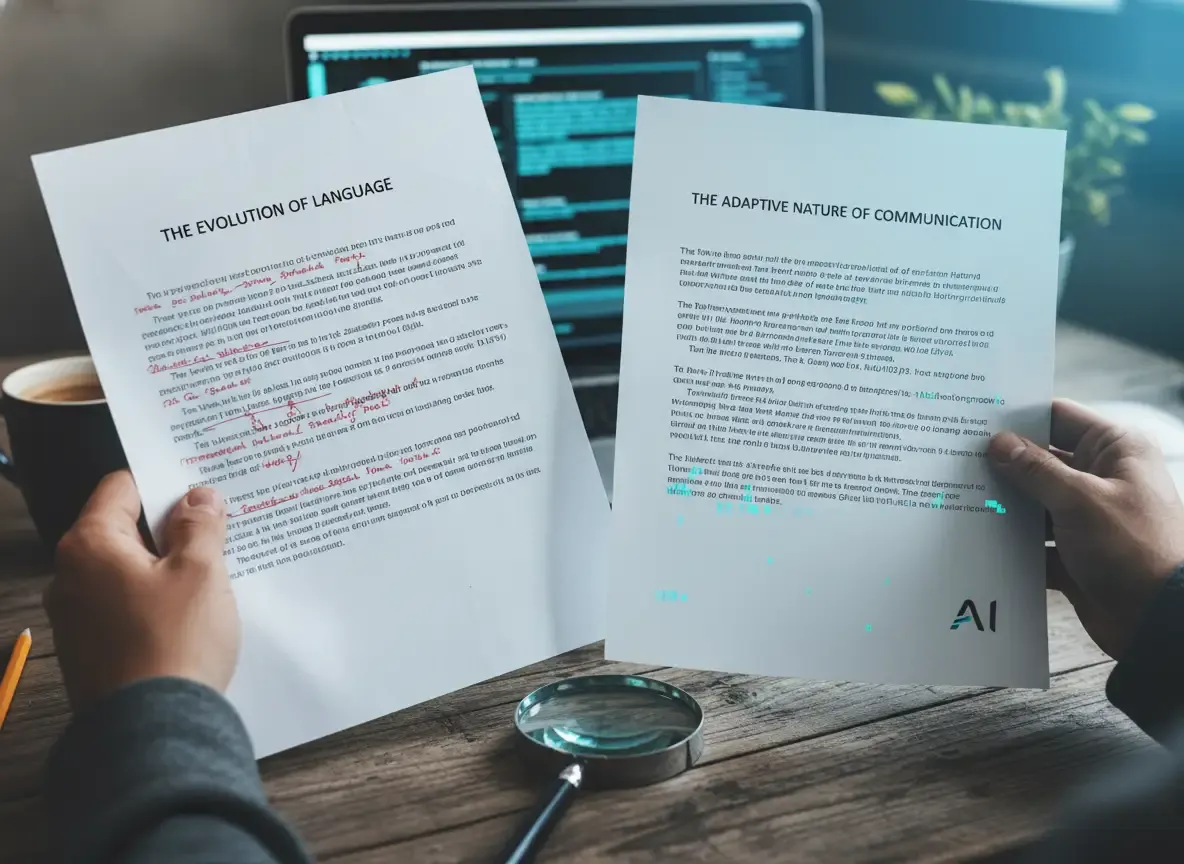
AI-made fake emailing takes this old trick and supercharges it. Instead of a human writing a clumsy fake email, a smart computer program, the AI, does it. This means the fake emails are much more convincing. Here is how AI makes these scams so powerful:
- Perfect Grammar and Spelling: No more easy-to-spot errors. The AI can write perfectly, making the message look professional and trustworthy. It learns from countless real texts. This allows it to create messages that are grammatically flawless. You will not find those old, obvious mistakes.
- Personalized Messages: The AI can gather information about you online. It uses this to make the email sound very personal and convincing. It might mention your job, recent purchases, or even your hobbies. For example, if you recently bought a new gadget, the AI might craft a fake "order confirmation" email that looks incredibly real. It knows details about your life that make the message seem legitimate.
- Mimicking Known Voices: The AI can study how your boss or a company you deal with usually writes. Then, it can create an email that sounds just like them. This makes it much harder for you to tell it is fake. It can copy their typical tone, their favorite phrases, and even their sentence structure. This makes the fake message feel incredibly authentic to you.
This makes AI-made fake emailing a much more dangerous threat. It plays on your trust and makes it incredibly difficult for your brain to tell what is real and what is not. Your brain often takes mental shortcuts. If an email looks familiar and seems important, you might quickly trust it without a second thought. AI-made fake emailing uses this against you. It exploits your natural inclination to trust what looks familiar.
Why AI Makes Online Scams Worse
The biggest problem with AI is how easy it makes very clever scams. Before, a scammer needed some skill to write a convincing fake message. They had to be good at writing. Now, they can just type a few commands into an AI tool. For example, they might type, "Write an urgent email from a CEO to an employee asking for a wire transfer." The AI then does all the hard work for them.
This means several things for you:
- More Scams, Faster: Scammers can create many more convincing fake emails in much less time. This increases your chances of encountering one.
- Better Quality Fakes: The fakes are much harder to distinguish from real messages. They look and sound more legitimate than ever before.
- Lower Skill Needed: Even someone with limited writing skills can create a highly persuasive scam. This lowers the barrier for entry for criminals. It means more people can become scammers.
Think about it: If every fake email is perfectly written and perfectly personal, how do you know what to trust? This is the challenge we all face with AI-made fake emailing. It creates a constant need for vigilance in your online interactions.
Common AI-Made Fake Email Tricks You Might See
Scammers use AI to make many types of fake messages. Here are some common ones you should be aware of:
The "Urgent Action Needed" Scam
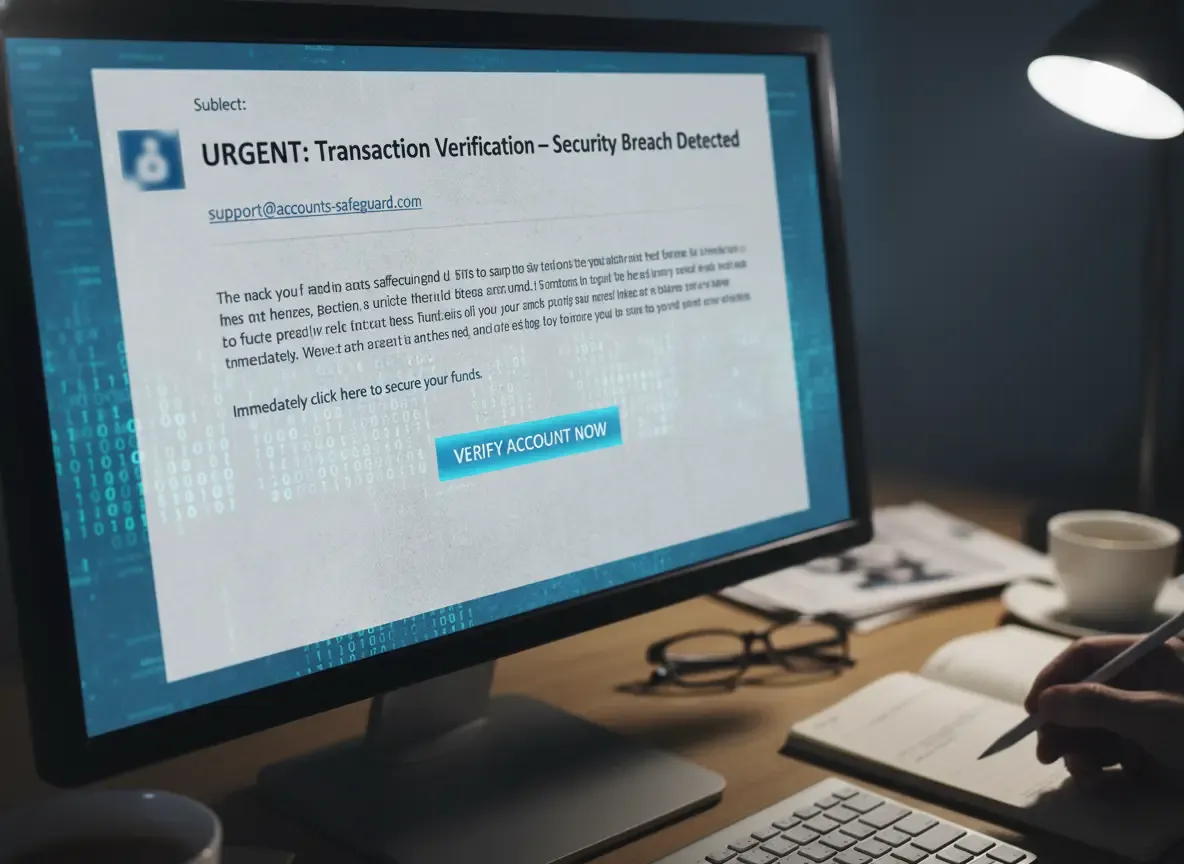
This is a classic trick. You get an email claiming to be from your bank, a government agency, or a major online service. It says there is a problem with your account, a suspicious transaction, or a security breach. It demands you click a link right now to fix it. The message often creates a sense of panic. It tries to make you act without thinking.
AI makes these urgent emails incredibly convincing. They can use your name. They can sound very official. They can perfectly mimic the company's usual communication style. For example, you might get an email saying your bank account will be frozen in 24 hours if you do not update your details. The AI makes this message look so real that you might feel pressured to click immediately.
The "Impersonating Your Boss or Colleague" Scam
Imagine an email from your boss. It says they are in a meeting. It then asks you to quickly buy gift cards, or transfer money, or share a sensitive document. They might even say they are using a new email address. This is a common tactic to bypass your usual checks.
AI can study your boss's past emails. It can then write a message that sounds exactly like them. It can even match their typical tone. This makes it very hard for you to doubt the message. You might think, "This sounds just like Mark, so it must be real." The AI exploits your familiarity with their writing style.
The "Fake Invoice or Payment Request" Scam
If you run a small business, you might get an email with a fake invoice for services you never received. Or, it might be a request to update payment details for a regular supplier. These emails often look very professional. They might include logos and official-looking details.
AI can create very realistic-looking invoices and emails. These fit perfectly into your business's usual flow. They make you think it is just another routine payment. You might be busy and quickly approve it. This is how scammers trick businesses into sending money to them.
The "Emotional Plea" Scam
Sometimes, scammers try to play on your feelings. They might pretend to be a friend or family member in distress. They will ask for money or help. AI can craft these stories to sound incredibly personal and heartfelt. This makes you more likely to react emotionally without thinking. For example, a fake email might claim a friend is stranded in another country and needs money wired immediately. The AI can make the story sound so believable that your empathy takes over.
How to Spot an AI-Made Fake Email: Your Checklist
Even with AI making things tougher, there are still key signs you can look for. It is about developing a habit of pausing and checking. This checklist will help you identify suspicious emails. Here is what you need to do:
| What to Check | What a Scam Might Look Like | What a Real Email Looks Like |
|---|---|---|
| Sender's Email Address | support-bank@outlook.com, yourboss@gmail.com, amaz0n.com | support@yourbank.com, bossname@yourcompany.com, amazon.com |
| Links in the Email | Hovering shows bad-site.xyz/login, update-info.biz | Hovering shows yourbank.com/secure, yourcompany.com/portal |
| Urgency or Threats | "Account will be closed in 24 hrs!", "Reply now or face charges" | "Important account update," "Reminder: payment due soon" |
| Requests for Info | Asks for password, Social Security Number, bank PIN in the email | Directs you to log into their official site securely |
| Unusual Tone | Your boss asking for gift cards, a friend asking for wire transfer | Typical, expected communication from that person/company |
| Unexpected Attachment | An invoice or document you were not expecting to receive | Only attachments you were expecting and are sure are safe |
Let us break these down a bit more, so you know exactly what to look for:
1. Check the Sender's Email Address VERY Carefully
This is still your first and best line of defense against fake emails. Even if the name says "Your Bank," you must look at the actual email address. It is often hidden or looks similar but is slightly off. Scammers might use a domain that looks almost identical to a real one, like micros0ft.com instead of microsoft.com. They might also use a generic email provider like gmail.com or outlook.com for a company that would normally have its own domain. A real company will always use its official domain name in its email address.
- Example: An email might say it is from "Apple Support" but the address is
apple.support.service@mail.ru. That is a huge red flag for you. A real Apple email would come from an officialapple.comaddress. Always scrutinize the full address, not just the display name.
2. Hover Over Links (Do Not Click!)
Before you click any link in an email, move your mouse cursor over it. Do not click it! In most email programs, a small box will pop up showing the real web address the link goes to. If you are on a mobile device, you can usually press and hold the link to see the full URL. If it looks suspicious or does not match where you expect to go, do not click it. Clicking a bad link can lead to harmful websites or automatically download dangerous software onto your device.
- Example: The email text says "Click here to log into your bank account," but when you hover, the link shows
login-bank-secure.xyz. That is a scam! The real link should be your bank's actual website address, likewww.yourbank.com/secure. Always verify the destination before you click.
3. Look for Extreme Urgency or Threats
Scammers want you to act fast without thinking. They will create a strong sense of panic or fear. Phrases like "Your account will be closed in 24 hours!" or "Immediate action required to avoid legal charges!" are common. While some legitimate emails are urgent, most reputable companies give you reasonable time to respond. They will not threaten you or demand instant action. If an email feels too urgent, slow down. Take a deep breath. This is a common tactic to bypass your critical thinking.
4. Be Wary of Requests for Sensitive Information
Your bank, the government, or reputable companies will almost never ask for your password, Social Security Number, or full credit card number directly in an email or over text. If they need you to update information, they will tell you to log into their secure website yourself. They will not ask you to send sensitive details to them. Be extremely cautious if any email asks you to provide personal financial details directly in a reply or a form within the email itself. This is a major red flag.
5. Notice Any Unusual Tone or Request
Even if an AI makes an email sound exactly like someone you know, the request itself should make you stop and think. If an email from your boss asks you to buy gift cards for a client, or a friend suddenly needs money wired to a stranger in another country, this is highly unusual. These requests are often outside of normal behavior. Always question anything out of the ordinary, especially if it involves money or sensitive information. Trust your gut feeling if something seems off.
6. Be Careful with Unexpected Attachments
If you get an email with an attachment you were not expecting, especially from someone you do not know, be very careful. These attachments can contain harmful software, known as malware, that infects your computer when you open them. This malware can steal your information, lock your files (ransomware), or spy on your activities. Even if it looks like a common file type, like a PDF or Word document, if it is unexpected, verify it first. Contact the sender through a separate, known channel before opening any attachment.
A Real-Life Scare: The "CEO" Email
Sarah, a small business owner, almost fell victim to an AI-made fake email scam. She received an email that looked like it was from her CEO, Mark. The subject line was "Urgent Payment Needed - Project X." Sarah's stomach tightened as she saw the urgency. The email sounded exactly like Mark. It used his usual friendly but direct tone. The email stated he was in a crucial meeting and needed an immediate wire transfer to a new vendor for "Project X" to avoid delays. It even mentioned a specific project Sarah knew about, which made it seem incredibly legitimate. The email's layout, the company logo, and even the font all looked perfectly real. There was no obvious mistake to catch her eye.
Sarah was about to process the transfer. She had already opened her banking portal. But then, something felt just a little off. A tiny flicker of doubt crossed her mind. Mark usually called for urgent requests, or at least texted her first. This email was out of his usual communication pattern for such a critical task. She decided to send a quick text to Mark's known number: "Hey Mark, just confirming that urgent payment for Project X?" Her heart pounded as she waited for a reply. Mark replied immediately: "What payment? I did not send any email!" A wave of relief washed over Sarah.
It turned out the email address was mark.ceo@business-solutions.co instead of mark@sarahscorporation.com. The AI had crafted a perfect email. It mimicked Mark's style, included relevant project details, and created a sense of urgency. But Sarah's good habit of double-checking saved her business from losing a lot of money. This story shows how powerful AI-made fake emails can be and why a simple verification check is so incredibly important for you.
What You Can Do Right Now
Protecting yourself from AI-made fake emails does not require you to be a tech expert. It just needs a few simple habits and a bit of caution. By following these steps, you can significantly reduce your risk:
- Pause Before You Act: Never click links or respond to requests instantly. Scammers rely on your immediate, emotional reaction. Take a deep breath and look for red flags. This mental shortcut can save you from making a costly mistake. Give yourself a moment to think critically about the message. Ask yourself: "Is this truly expected? Does it make sense?"
- Verify Directly: If an email seems suspicious, do not reply to it. Instead, contact the sender using a known phone number or a separate email address you already have. For a bank, call the number on the back of your card. For your boss, call their office phone or text their known cell number. Never use contact details provided in the suspicious email itself, as those will lead you straight to the scammer. This direct verification is your strongest defense.
- Use Strong Security: Turn on two-step verification (also known as 2FA or multi-factor authentication) for all your important accounts. This includes email, banking, and social media. This adds an extra step, like a code sent to your phone or generated by an app, making it much harder for scammers to get in even if they steal your password. Also, use unique, strong passwords for every account. Consider using a password helper tool to generate and remember complex passwords for you. This significantly boosts your online safety.
- Report Suspicious Emails: Mark fake emails as "junk" or "phishing" in your email program. This helps your email provider learn and block future scams for you and others. If it is a scam impersonating a specific company, you can often forward it to their security department. For example, PayPal has
reportphishing@paypal.com. Reporting helps build a collective defense against these threats. - Stay Informed: Keep learning about new types of scams and online threats. The more you know, the better you can protect yourself and your family. Truth Lenses offers many resources to help you understand these dangers. Check out our articles on AI-made fake videos and images too. Staying updated is key to navigating the evolving online world safely.
Frequently Asked Questions
Can AI programs help me spot AI-made fake emails?
Yes, some email services and security software are starting to use AI to detect these advanced fake email attempts. They look for patterns and clues that humans might miss, such as unusual sending patterns or subtle language inconsistencies. However, these tools are not perfect. Your own careful checking and critical thinking are still very important. You should always use these tools as an extra layer of defense, not as your only protection.
What should I do if I accidentally clicked a bad link?
If you clicked a suspicious link, immediately close the browser tab. Do not enter any information into any forms that appear. If you did enter information, like a password or bank details, change that password on the real website right away. Then, disconnect your computer from the internet. Run a full scan with reliable virus protection software and malware protection software on your computer. Keep a close eye on your bank accounts and credit card statements for any unusual activity. If you see anything suspicious, contact your bank immediately.
Is my phone safe from AI-made fake emails?
No, your phone is just as vulnerable as your computer, if not more so, because people tend to be less cautious on mobile devices. Fake emails can appear in your phone's email app, and malicious links can still infect your device or steal your information. Always be just as cautious on your phone as you would be on a desktop computer. Treat texts (which is called SMS phishing, or "smishing") with the same caution as emails. Scammers often target phones because people are often distracted when using them.
AI-made fake emailing is a new challenge, but with awareness and simple habits, you can protect yourself. Truth Lenses is here to give you the tools and knowledge to navigate this changing online world. Visit our /how-it-works page to learn more about our detection tools and how they can help you stay safe.